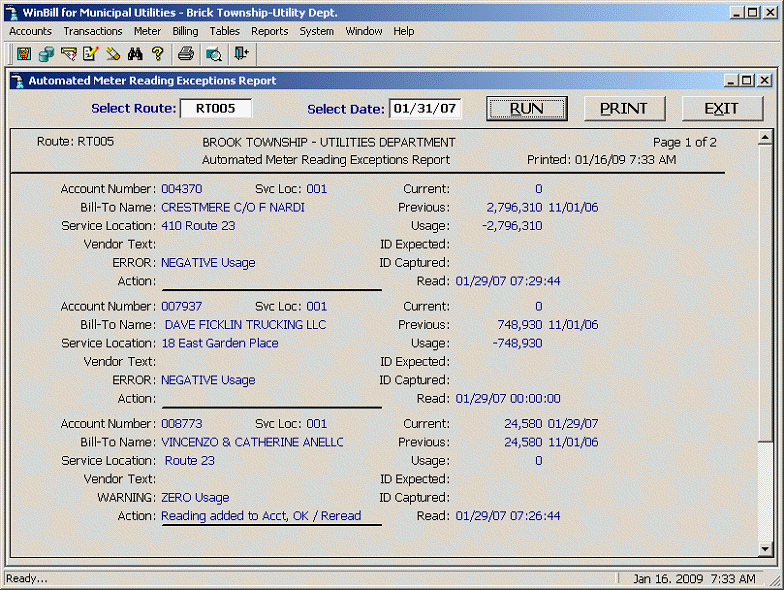
The Meter Reading Exceptions report provides the user with a preliminary report (prior to the actual billing process) of all incorrect, missing, or “suspect” meter readings. Incorrect or missing readings need to be reread or estimated while “suspect” readings need to be examined to determine whether or not they require an additional reading. Select the menu option “Meter | Automated | Meter Reading Exceptions Report” and enter the Route Number and Date for the exceptions report you want to review and/or print. The report appears as follows:
The specific validations and types of errors vary slightly depending on the manufacturer of the meter reading equipment. Typically, errors are generated for Unread Meters, Negative Usage, invalid ID captured, etc. Warning messages include High and Low Usage, Zero Usage, etc. Note that this report only applies to automated meter readings.